

Plans and billing
Plans control product capabilities (generate/export quotas, history span, and access to the strategy recipe). When billing is enabled, payment uses Stripe hosted checkout — Quanorix does not store card data.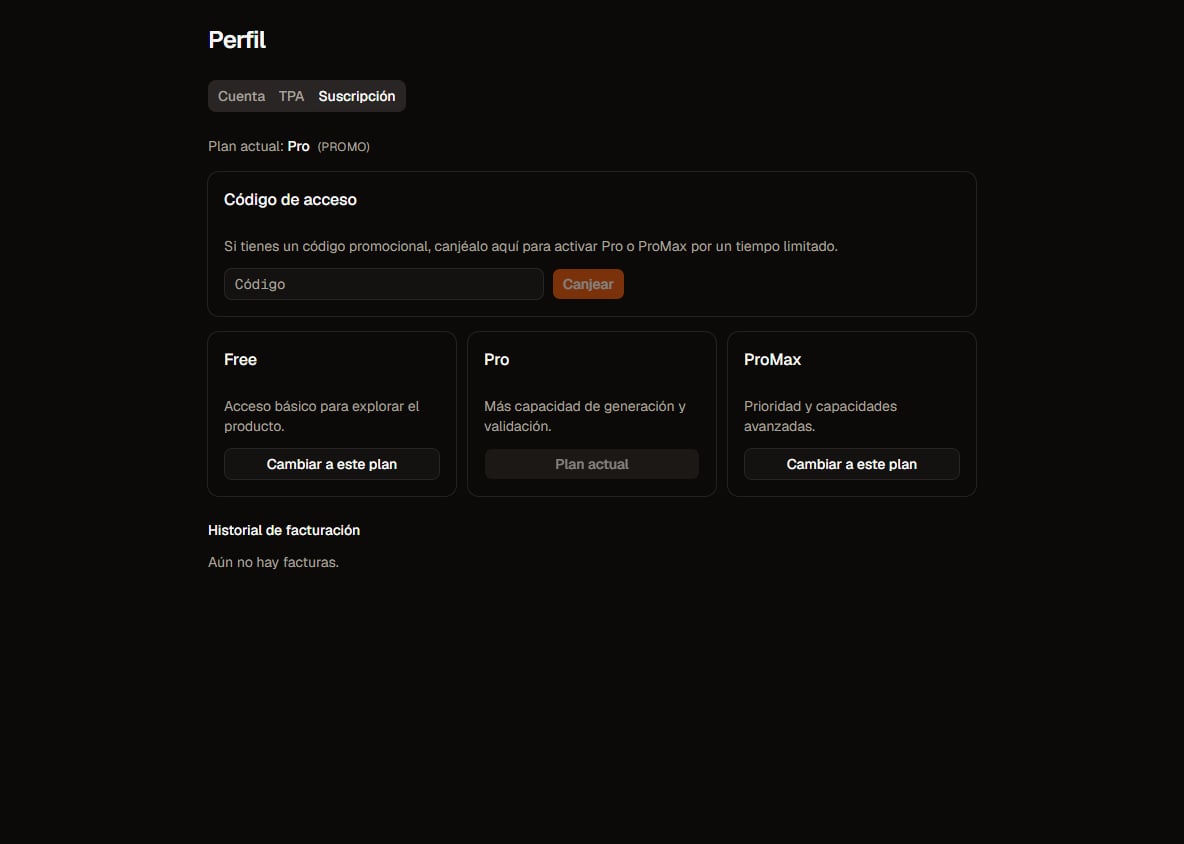
Plans in Profile. Click to zoom.
If Profile says payments are not enabled, this environment is not taking charges; the rest of the app may still work.
Plans and prices
History
The cap is the span of the range you download (to − from), not a monthly counter. Each instrument has its own earliest bar date (requests before that are clipped). Generate, validation, and portfolios only use your subscription, not history another user already downloaded. Flow details: Market data.Quota periods
- Free: rolling 30-day window (from signup or from the moment you return to Free).
- Pro / ProMax: Stripe billing cycle.
- On upgrade to Pro/ProMax, counters for the new period start at zero.
What counts as a generate
A job is a background task (generation, validation, data download, and so on). Only a generation job that actually runs (e.g. with TPA) and reaches the first run (first strategies persisted to the databank) counts. No TPA or failure before that → no quota use. Walk-forward and robustness are unlimited on every plan and do not consume generate. On Free the recipe is loaded on the server — you do not need to see the rules in the browser. Regime and portfolio mixer are not on Free (you will see an overlay with a CTA to Pro). Pro has 15 of each per period; ProMax is unlimited. Regime/mixer quota is consumed when the job is enqueued. An MQL export counts only when the download succeeds. Under Profile → subscription you can see period usage (generates, exports, regime, and mixer).Where to manage it
Under Profile → subscription / plan:- Current plan and period usage
- Switch to this plan (upgrade/downgrade)
- Manage billing → Customer Portal
- Billing history
- Access code (promo redeem)
Upgrade and downgrade
Portal and invoices
- Manage billing opens the processor portal (no PCI in Quanorix).
- History shows Paid / Open / Void / etc., plus PDF when available.
Promo access code (redeem)
If you have a code:- Profile → Access code → enter code → Redeem.
- Activates Pro or ProMax for a limited time.
- While the grant is active, the same quotas as that plan apply.
Common issues
- Checkout cancelled → plan unchanged; try again.
- Plan not reflecting payment instantly → wait a few seconds and reload.
- Generate quota “doesn’t drop” after you queue a job → consumption happens on the first TPA run, not when the job is queued.
- More: Troubleshooting.