

Databank
The Databank is your personal library of saved strategies (IS/OOS metrics, symbol, TF, lineage). Filter, sort, favorite, and open detail for backtest, evolve, or export.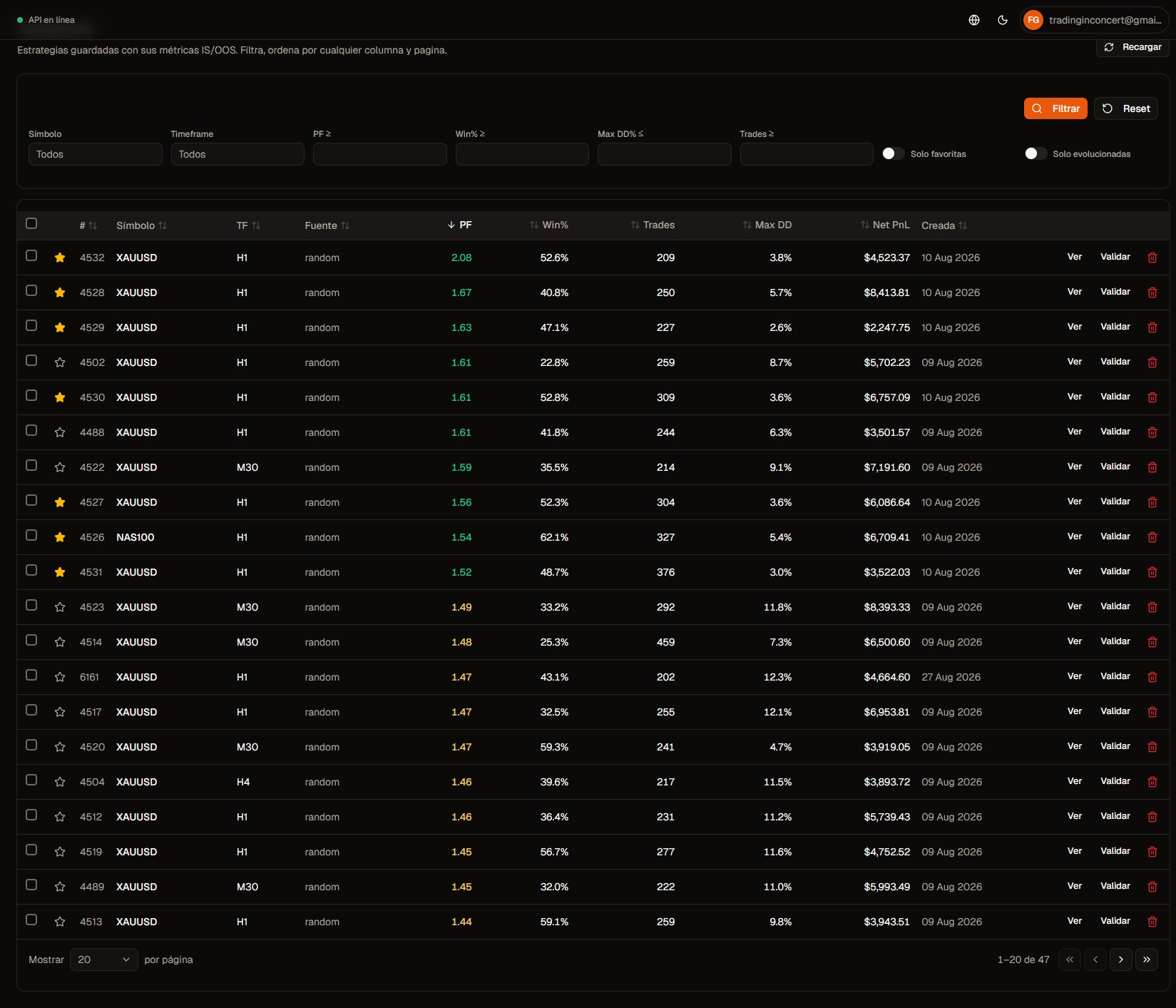
Databank list. Click to zoom.
List view
- Metric columns (PF, win%, DD, trades, Net PnL, etc.) with sort and pagination.
- You can sort by up to 3 columns: clicking a header cycles desc → asc → off; clicking another column appends it (a fourth click replaces the last). Default on load or reset is PF descending.
- Text search when the UI offers it (id, symbol, …).
- During a generation with save enabled, the list may refresh on its own (Generation in progress…).
- Strategies from the same run can show the generation Job ID (handy to group one run).
- The metrics date-range tooltip/indicator reflects the window of the currently saved metrics (e.g. after a re-backtest or Save as metrics), not necessarily the full symbol history.
Useful filters
Filters/view are remembered in the browser per user (same idea as the Generator draft).
Favorites
- Star icon on each row: mark / unfavorite.
- Combine with “Favorites only” for an operating shortlist.
Bulk actions
- Select one or more rows.
- Create Portfolio (n) — builds a new portfolio from the selection.
- Delete selected — removes from the databank (irreversible).
Lineage
Evolved strategies show an Evolved label and a link to the parent when available — useful to trace GP variants.Empty state
If there are no rows: run the Generator — every run persists to the Databank automatically.Next
- Strategy detail
- Export bots
- Portfolios (when expanded)