

Validation
Use Validation to check whether a Databank strategy holds up outside the generation IS window. Three tabs: Walk-forward, Robustness, and Regime.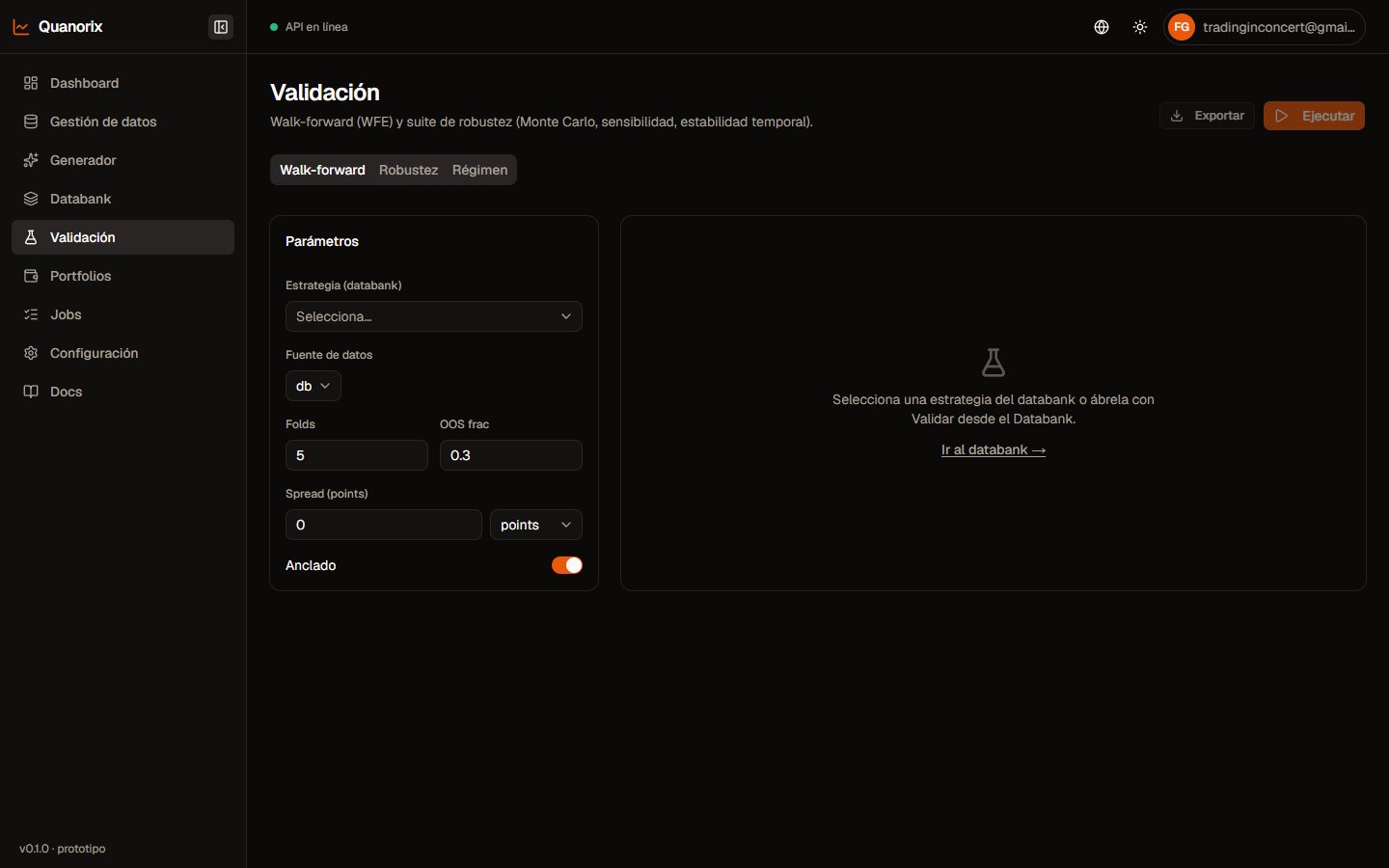
Validation · Walk-forward. Click to zoom.
Shared across tabs
- Pick a Databank strategy.
- Review costs (spread, etc.): prefilled from generation, editable.
- From / To: prefilled from that strategy’s generation window or last backtest (same idea as strategy detail). Empty = use the full available M1 subscription (without re-applying the plan’s history-years cap).
- Data source: usually Database (your downloaded history).
- Runs in the background (TPA); follow progress on the page or in Jobs.
- Export the report (HTML/Excel) when the UI offers it after results exist.
Walk-forward (WFE)
Splits history into IS/OOS folds (anchored or rolling depending on parameters).
Typical outputs:
- WFE (efficiency) — aggregated walk-forward metric
- Aggregated OOS PF, OOS Net PnL
- Per-fold table: IS/OOS PF, win%, trades, OOS net
Robustness
Optional suite (enable at least one block):
Read P(profit), median DD, and whether small param changes kill viability.
Regime
Classifies market segments (trend, range, high vol, warm-up) and measures edge by regime. UI verdicts:- Stable edge
- Degraded edge
- Unstable edge
After something “looks profitable”
- Walk-forward with a decent OOS.
- Robustness (at least MC or sensitivity).
- Regime: is the edge stable?
- Review sessions/TZ before export.
- If it still holds → portfolio or evolve; otherwise discard or regenerate.