

Generator
The Generator explores strategies at scale (random search by default), evaluates them on your history, and always saves them to the Databank. Compute runs as a background job on your TPA.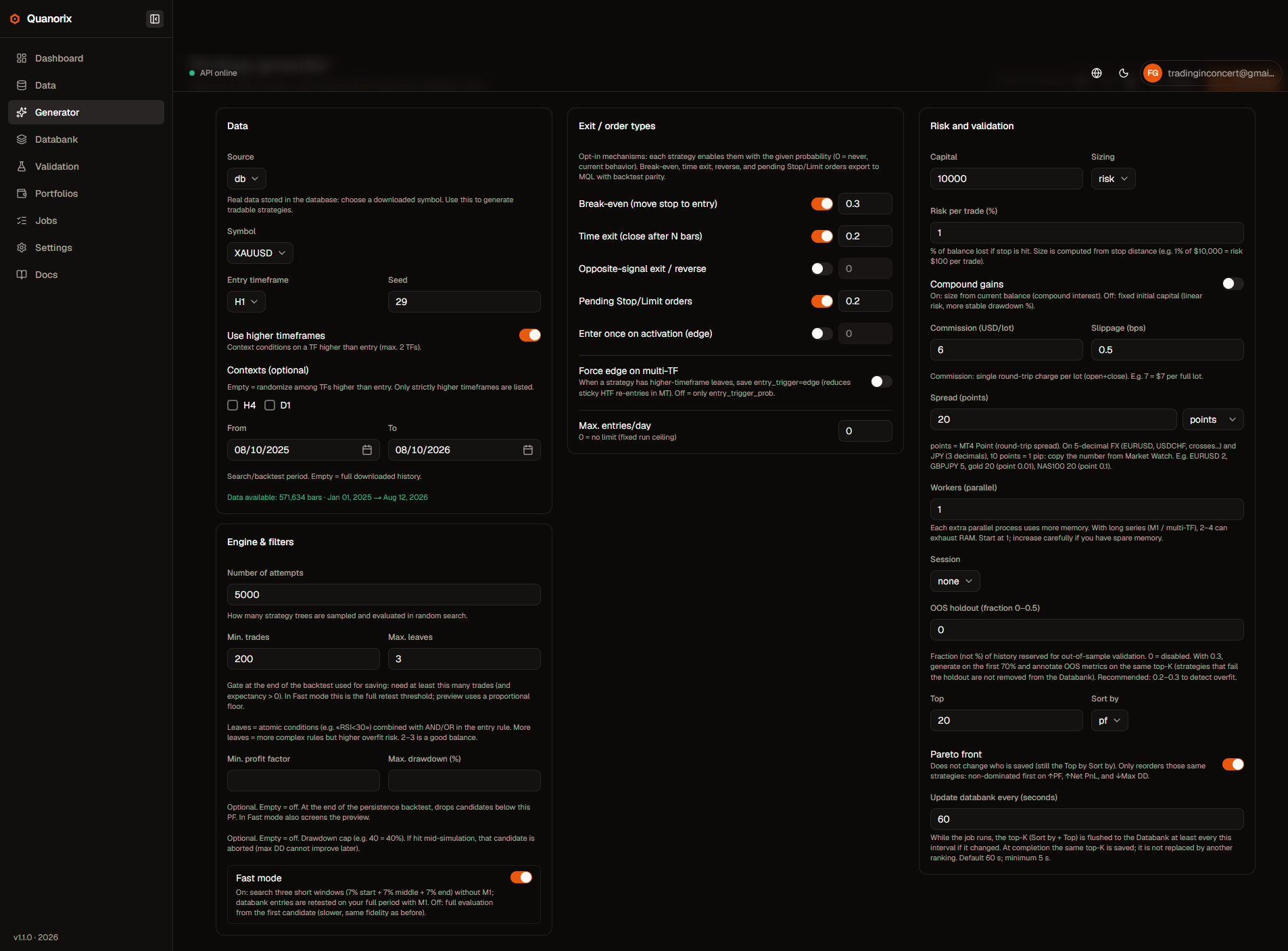
Generator form. Click to zoom.
Typical flow
- Open Generator.
- Pick a symbol (already downloaded) and date range (empty = full available history).
- Set attempts (
n), risk/costs, and workers. - Click Generate and follow progress on the page or in Jobs (the phase switches to Generating when search starts).
- Review viable strategies in the Databank (the top-K updates live during the run).
Data
Partial coverage or a missing symbol is called out in the UI with a link to Data.
Engine and filters
The Engine & filters card covers random search and optional run filters.- Fast mode (on by default): first explores short windows of history; what lands in the Databank is retested on your full period. Turn it off for full evaluation from the first candidate (slower).
- Attempts: how many candidate strategies to explore.
- Min trades / max leaves: minimum viability and entry-rule complexity.
- Min. profit factor and Max. drawdown (%): optional; empty = off. The DD cap aborts that candidate if it is hit during the simulation.
- Genetic evolution from an already saved strategy is done in Databank → Evolve. See Strategy detail.
Exit / order types
Opt-in by probability (0 = never):- Break-even, time exit, reverse / opposite signal
- Pending Stop/Limit orders
- Entry trigger edge (false→true pulse) vs re-enter while the signal stays true
- Force edge on multi-TF when HTF leaves exist (better MT parity on sticky signals)
- Max entries/day (0 = no run-level cap)
Risk, costs, and validation
Workers and memory (OOM)
Workers evaluate in parallel. Each extra worker copies data and caches in RAM. With long series (M1 / multi-TF), 2–4 workers can exhaust memory.- Start at 1.
- Increase only if you have spare RAM and stable runs.
- If the job dies with OOM / process-pool errors, lower workers or shrink range/
n.
Saving and live Databank
Every run from the Generator persists to the Databank (there is no toggle to turn saving off).- Update databank every (seconds): incremental top-K flush while the job runs (min ~5 s; default ~60 s).
- What you see during the run is the same top-K that remains at the end (by Sort by and Top).
- With TPA, mid-run flush feeds the Databank while the agent executes the job.
Reset and draft
- Reset restores generator defaults (does not change global Settings).
- The form draft is stored in the browser per user; switching accounts should not inherit another user’s draft.
Presets and multi-TF
Saving/loading presets and timeframe randomization: Presets and multi-timeframe.Next
- Databank
- Export bots
- Troubleshooting — OOM, stuck jobs, TPA offline