

Portfolios
A portfolio groups Databank strategies and backtests them with shared capital (multi-symbol), exposure limits, and correlation.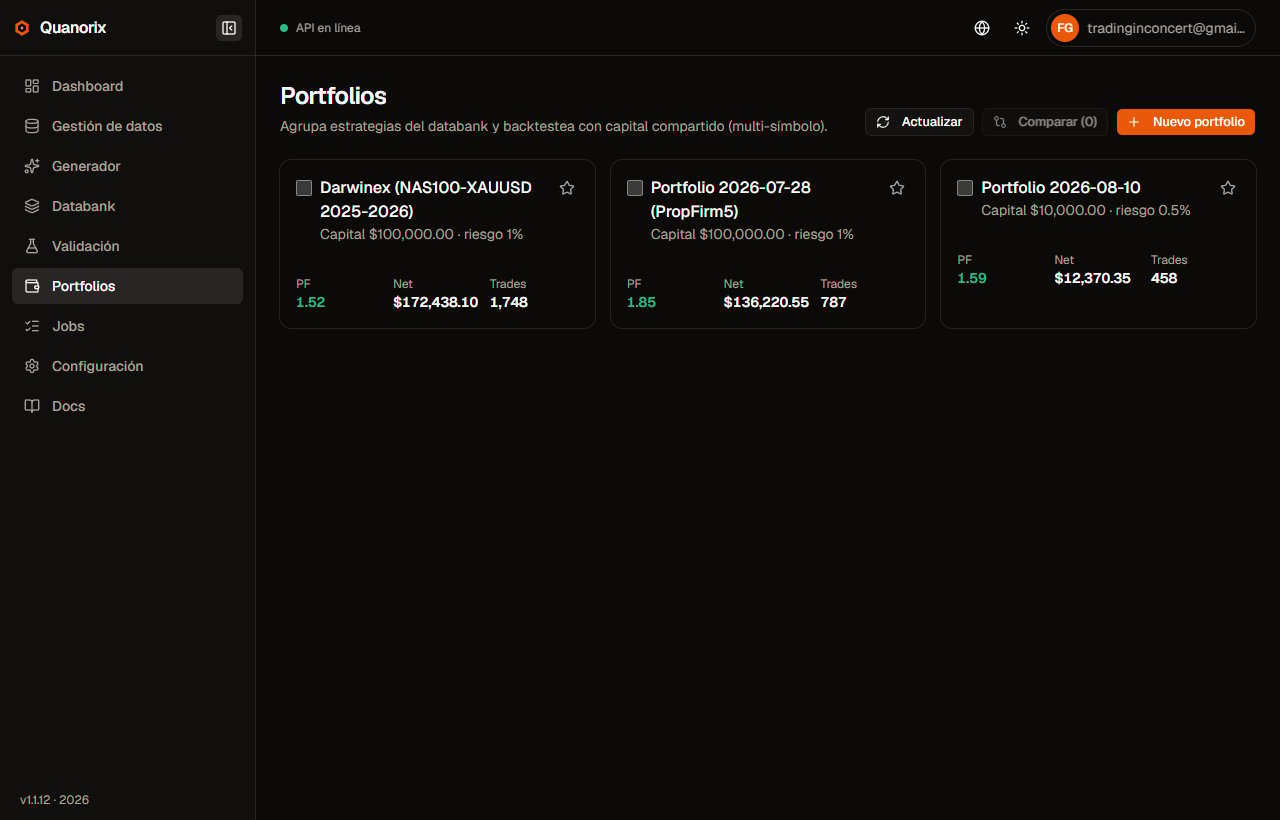
Portfolio list (example with backtest metrics). Click to zoom.
Create
- New portfolio → name, initial capital, risk per trade, max open positions / per symbol.
- Select Databank strategies (or create empty and add later).
- You can also create a portfolio from multi-select on the Databank.
List
- Capital and risk/notional summary.
- Favorites: star on each card; favorites stay at the top of the grid (others keep creation-date order).
- Compare two or more portfolios (metrics from the last backtest).
- Open detail to work.
Detail: members
Use general risk: all strategies use the portfolio risk; commission and spread stay per strategy. Turn the toggle off to restore per-member risk.
Portfolio capital and global risk are editable (dialogs on the detail page).
Backtest
- Optional From/To range.
- Backtest (background job via TPA → Jobs).
- Review equity, trades, monthly analytics, strategy correlation, and concurrency notes (signals skipped by max positions). The metrics summary is the same grid as strategy detail (Return first, distribution and calendar rows). After the backtest you also see the best and worst strategy in the mix from the latest result. Metrics span the full width; below, the equity curve is on the left and strategies / Mixer on the right.
Per-symbol M1 coverage
The warning does not use today’s date and does not compare one asset to another. Each symbol is checked against the From/To you set.
Gaps of 3 days or less (e.g. a weekend) are ignored. The engine still merges timelines: months where one asset does not exist yet are traded by the other leg only.
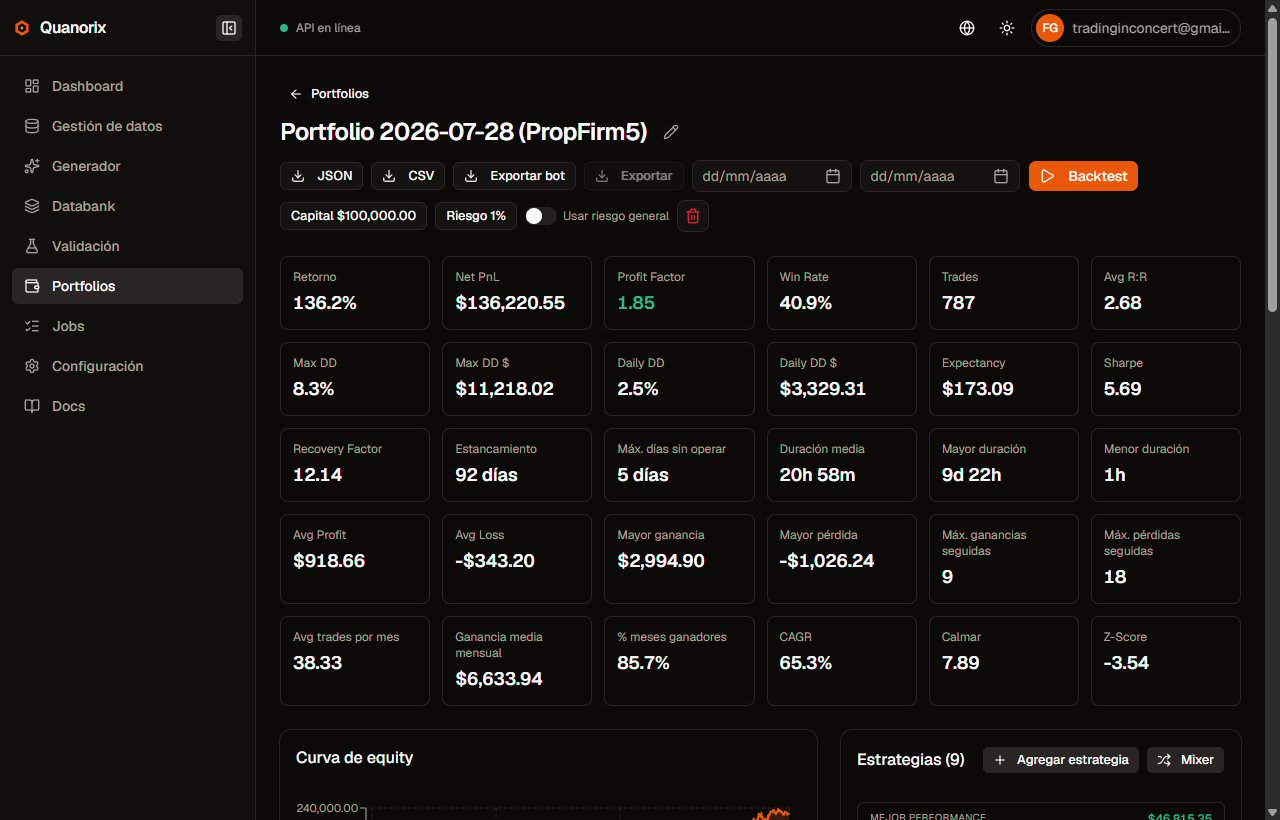
Portfolio detail: metrics, equity curve, and strategies. Click to zoom.
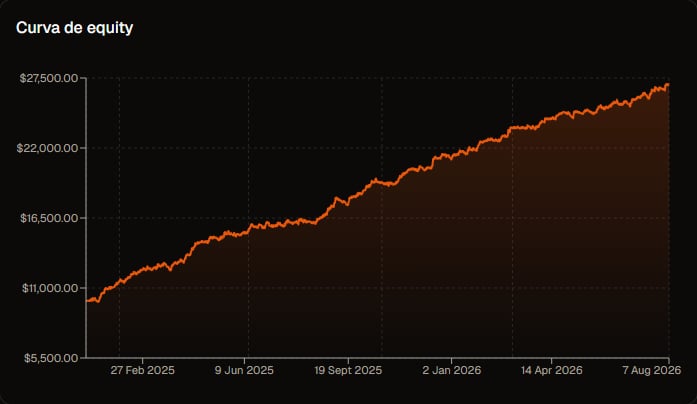
Portfolio equity curve. Click to zoom.
Mixer
With ≥ 2 strategies:- Mixer searches on/off combinations ranked by score (PF + Max DD + Return).
- Apply a combo → replicates enables.
- Re-run the backtest to confirm.
Simulate (prop firm)
After a backtest with trades, Simulate (next to Backtest) evaluates the track record against Axi Select or PropFirm rules. It does not consume quota. Full parameter and results guide: Prop firm simulation.JSON import / export
- Export JSON from detail: portable portfolio package.
- Import JSON under New portfolio → Import tab: preview of new / same / conflicts.
- On conflicts: keep local or update (update touches the global Databank strategy, not only the portfolio).