

Sessions and timezones
This is one of the most common reasons for “the app shows X but MT4 shows something else.” There are several different clocks.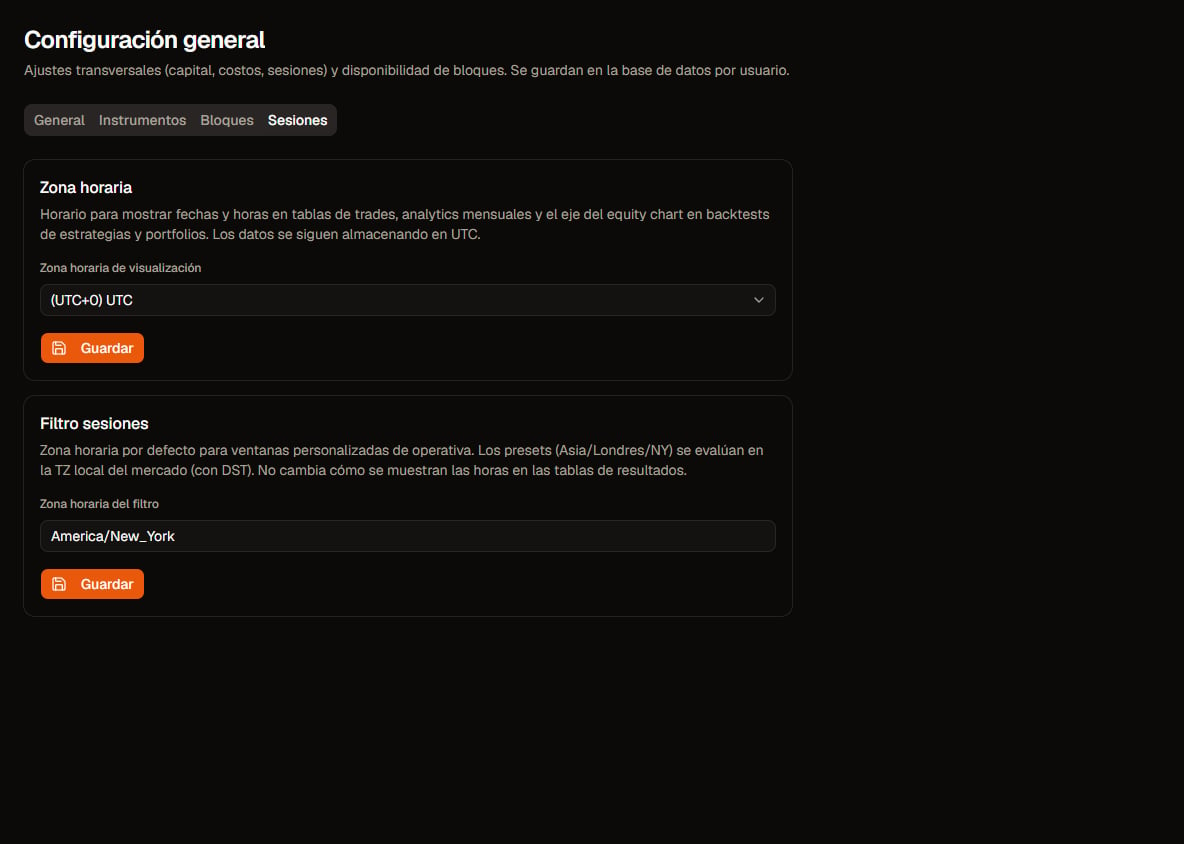
Settings · Sessions. Click to zoom.
Three concepts that are not the same
display_tz does not change the backtest or filters. It only changes how you read dates on screen.
Important engine defaults
hour_of_day/time_window/day_of_weekgates without an explicittzuseAmerica/New_York(with DST).session_asia/session_london/session_nypresets use that market’s local zone.- Excel report exports use raw engine UTC timestamps; HTML respects
display_tz.
Live broker vs Strategy Tester
- On live accounts at many brokers, server time is often GMT+2 (US winter) / GMT+3 (US summer).
- The Strategy Tester uses timestamps from the loaded history. If you imported with TickStory (or similar) in GMT/UTC, the tester speaks UTC even if the terminal uses the broker’s clock.
Calibrate the EA: InpBrokerGmtOffset
On the exported Expert Advisor:
InpBrokerGmtOffset= hours to subtract from the chart to get GMT.- Default
0= assume history/tester is GMT/UTC. -1= auto NY-close: the EA computes GMT+2 / GMT+3 from US daylight-saving rules (brokers such as Pepperstone, Darwinex). Useful live when the broker server follows that convention; you do not need to edit the input when DST flips.
InpBrokerGmtOffset = 0 + hour_of_day 14–18 (no tz) → New York wall-clock window in both Quanorix and the EA.
If tester history is in broker time (+2/+3), set InpBrokerGmtOffset to that chart→GMT offset without reinterpreting filter start/end hours as raw chart hours, or use -1 live on NY-close brokers.
Practical tips
- To debug app↔MT parity: set
display_tz = UTCso HTML matches candles/Excel language. - Use broker TZ in
display_tzonly when you want the UI to “read like” live server time. - If you exported EAs before the current TZ contract and they use hour/session filters, re-export.