

Prop firm simulation
On a portfolio detail page, after a backtest with trades, Simulate evaluates that track record against challenge rules (Axi Select or PropFirm). It does not consume plan quota and does not replace the firm’s platform or guarantee passing an evaluation.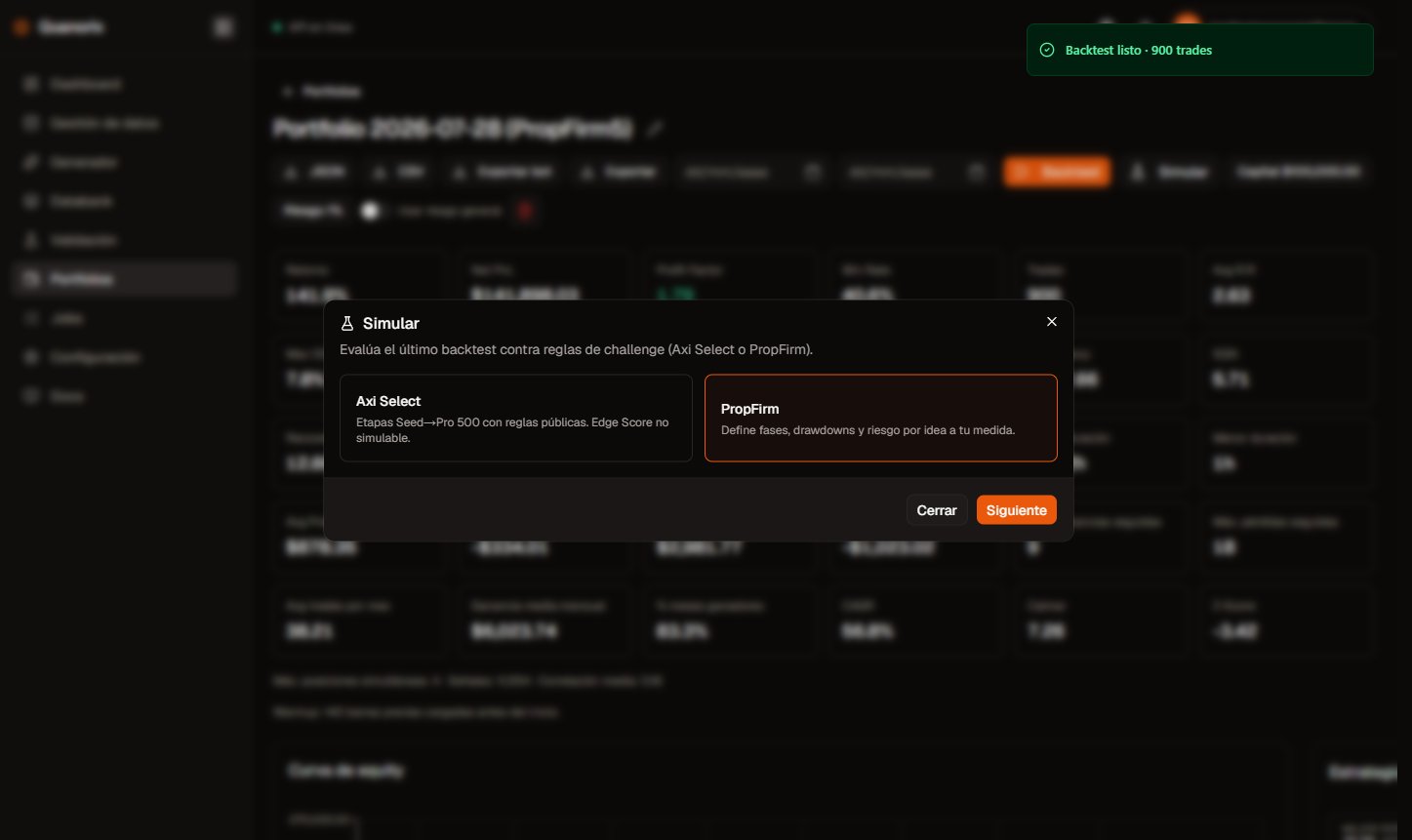
Choose Axi Select or PropFirm. Click to zoom.
When to use it
- Open the portfolio and run a Backtest (optional date range).
- When there is a result with trades, click Simulate (next to Backtest). Without a recent backtest on that screen, the button asks you to run one first — same gate as exporting the report.
- Choose Axi Select or PropFirm, configure if needed, and review results.
- Optional: download the report as Markdown (
.md) or Excel (.xlsx).
Flow
Axi Select
Preset with the public stages Seed → Incubation → Acceleration → Pro → Pro 500 → Pro M. The modal table is read-only.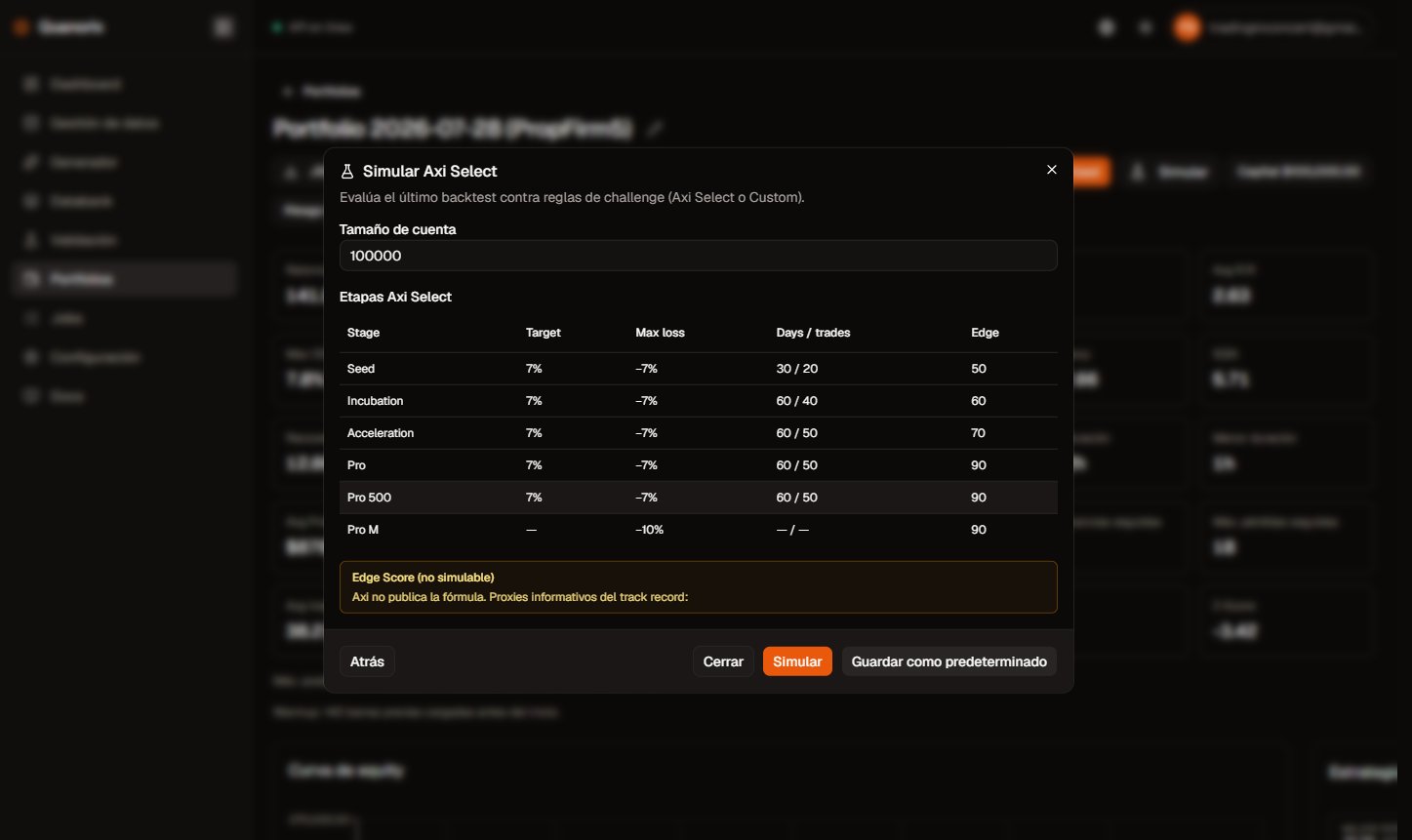
Axi Select config: stages and Edge Score note. Click to zoom.
Other Axi notes:
- If a stage requires a flat account at the cut, the simulator applies it.
- Real Axi quarantine in mid-stages is not modeled: a breach returns to Seed (stricter than the firm).
- The Checklist tab appears only for Axi (program rules vs guidance profile items).
- The Edge Score tab shows proxies from the track record (e.g. return/DD, positive streak); not an official score.
PropFirm — parameter glossary
Define a 1–3 phase challenge and funded-account rules to match your firm.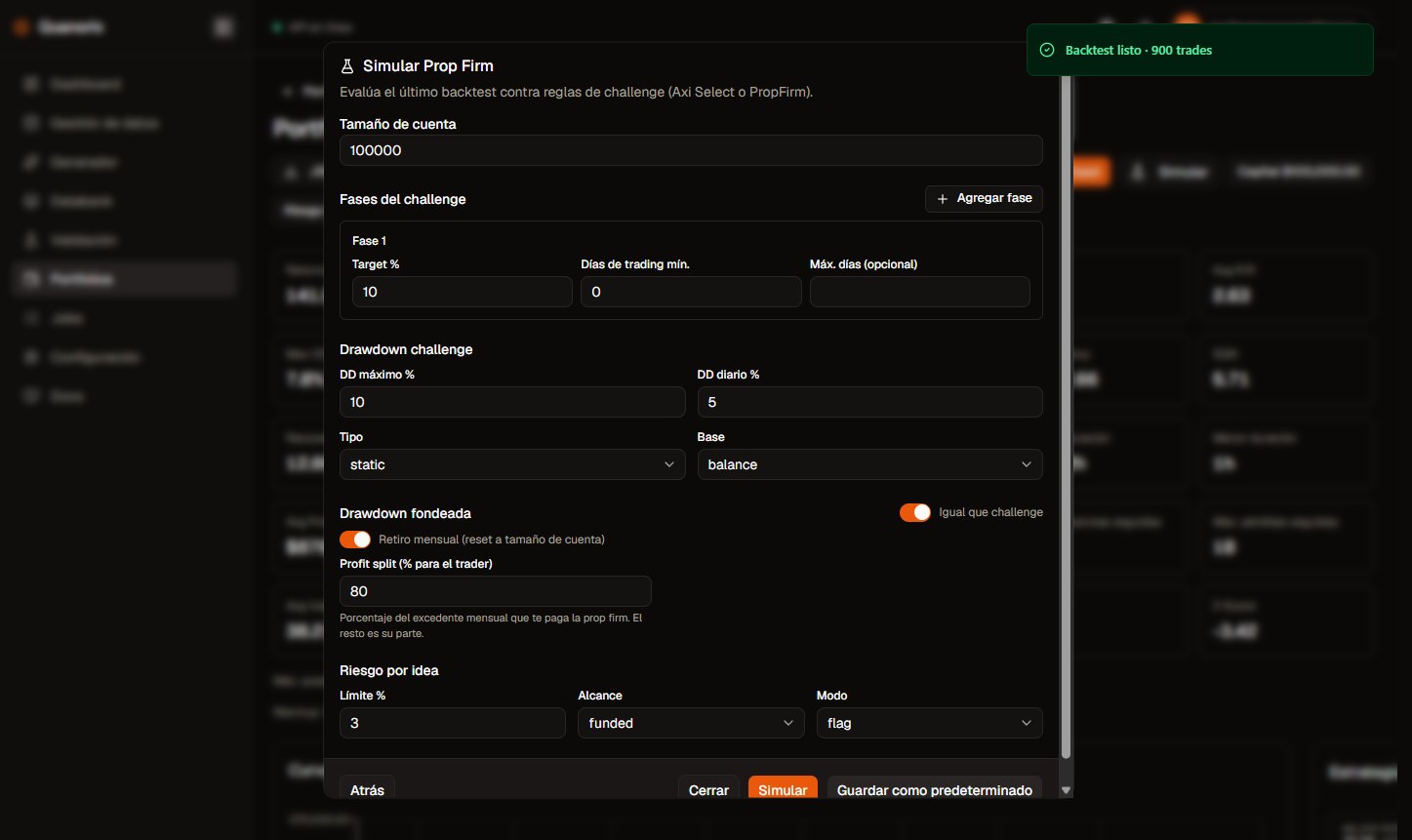
PropFirm form: phases, drawdowns, profit split, and idea risk. Click to zoom.
Account size
Reference capital for the simulation. Backtest PnL and equity are rescaled to this size relative to portfolio capital. Use it to try a $10k challenge even if the backtest used a different capital.Challenge phases
- Target % — cumulative profit needed to pass the phase. Leave phase 2 empty for a single-phase challenge.
- Min trading days — days with at least one trade, not calendar days.
- Max days (optional) — calendar ceiling to finish the phase; running out without passing → account lost.
- Add phase — up to 3 sequential phases.
Drawdown (challenge vs funded)
Two independent blocks: rules during the challenge and rules once funded. Use “same as challenge” to copy.- Max DD % — maximum allowed drop. Empty = that limit is off.
- Daily DD % — maximum drop in one day. Empty = off.
- Static type — measured from a fixed level (e.g. day start or account level), not a moving peak.
- Trailing type — measured from the peak equity reached (high-water mark).
- Equity basis — includes open-position floating PnL. The on-screen curve is an approximation.
- Balance basis — closed trades only; closed balance is exact.
Monthly withdrawal and profit split
In funded mode, each calendar month starts at account size. At month end the gross excess leaves the account (reset) and the next month starts again at that size.- Profit split (% to trader) — of that excess, only your share counts as “Withdrawn” / payout. The rest is the firm’s share. The account reset uses the full gross excess.
Idea risk
Sums effective risk of trades open at the same time on the same symbol and side (e.g. two overlapping NAS100 longs).- Limit % — threshold vs account size.
0= off. - Scope — funded only, or the full lifecycle (challenge + funded).
- Flag mode — records the violation without failing the account.
- Fail mode — account lost.
Save as Default
Stores the PropFirm form (or Axi account size) in this browser for your user. It does not travel to another device or sync to the cloud account.Results
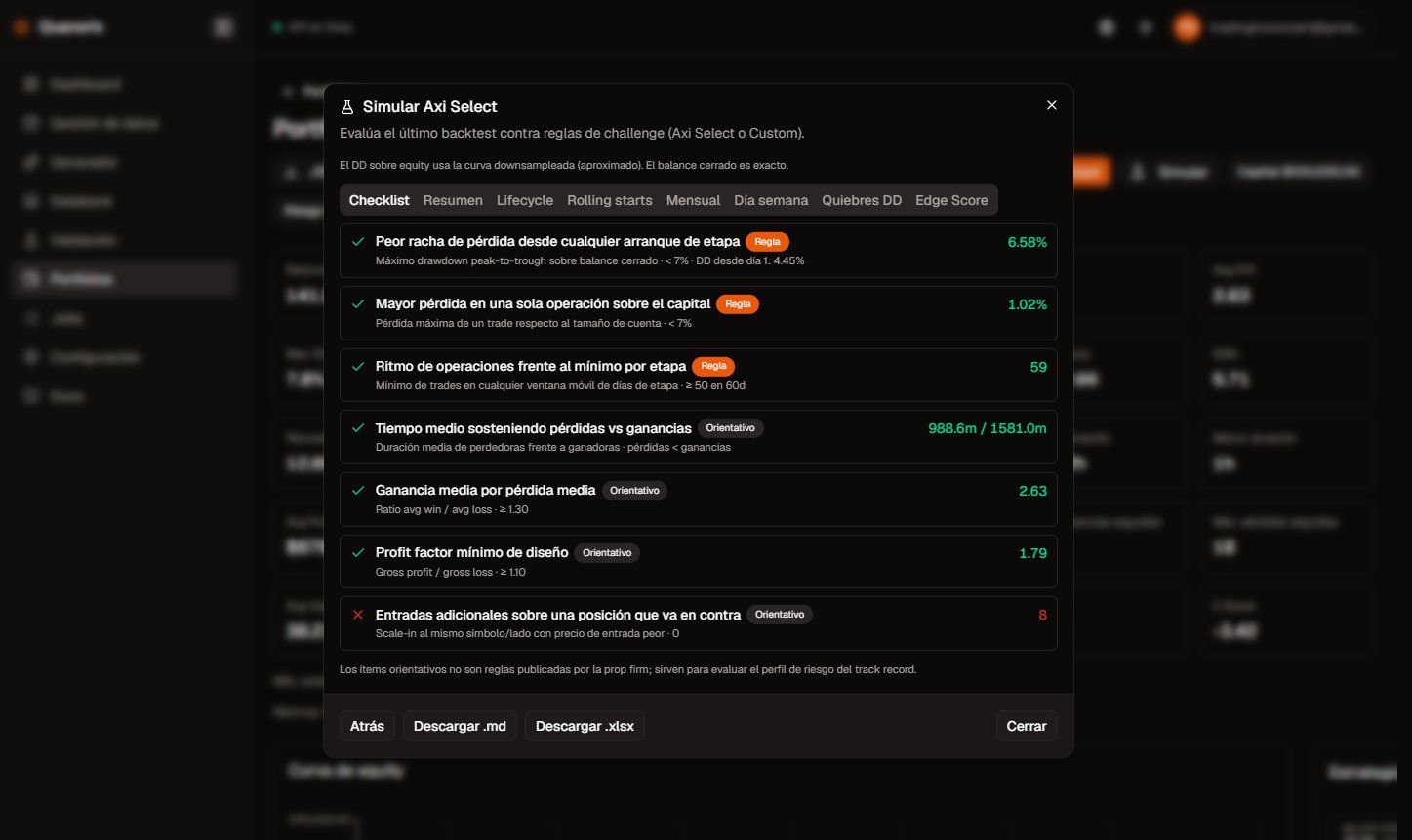
Axi Select results (Checklist and .md / .xlsx export). Click to zoom.
Honest limits
- The on-screen equity curve is an approximation of floating PnL; closed-trade balance is exact.
- The simulator does not use each trade’s lot size for lot exposure.
- Short histories → few rolling-start rows; check the
ncount. - Research only: it does not replace the firm’s official rules or Edge Score.